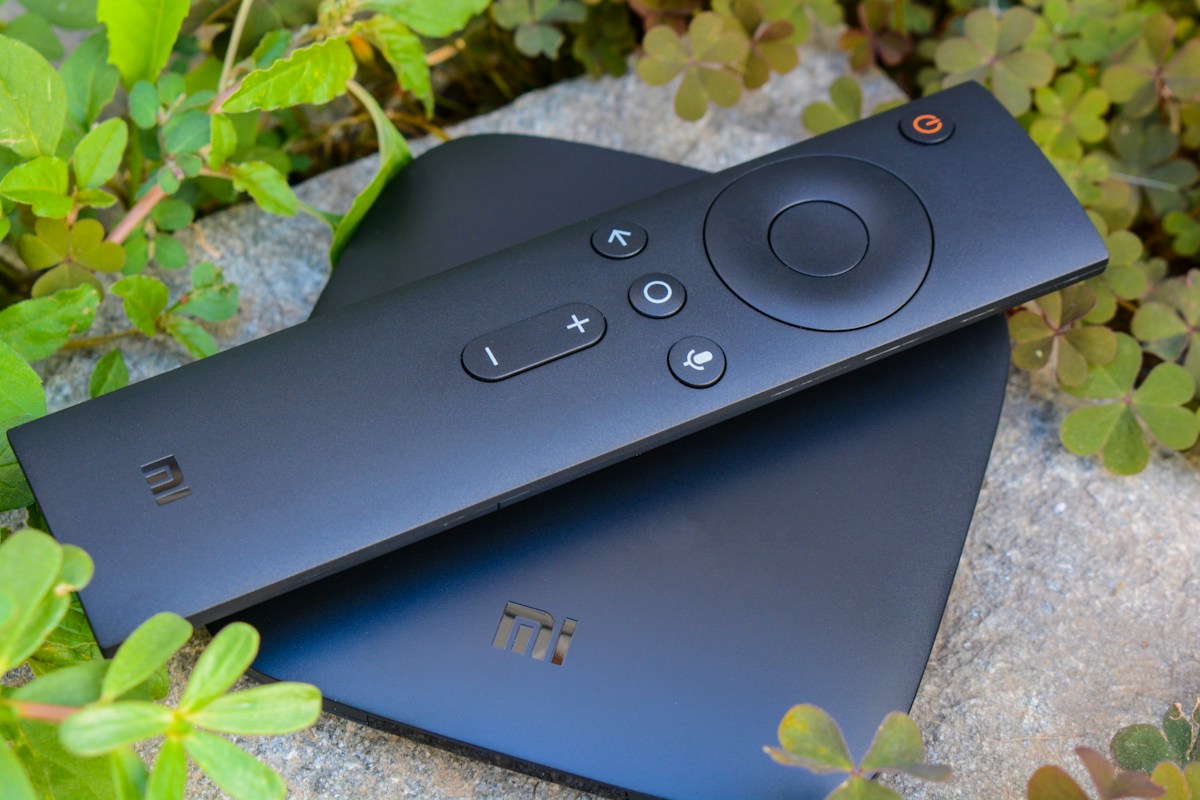
Understand the difference between a box, app and subscription
A set-top box is hardware; an application is the software that plays or organises streams; and a subscription is the access arrangement for a service. Some Smart TVs can run a compatible app without a separate box, while older TVs may need an external device. Confirm which component you actually need before buying equipment based on a search result.
Ask the service provider which operating systems and apps are supported, and whether activation details are supplied after purchase. A device advertised as a television box or STB may be designed for a different platform or provider. Do not assume that every box runs every app or that every subscription will work with any device connected through HDMI.
Check the television connection and display capability
Confirm which HDMI ports are available on your television and whether the device’s output matches the screen you own. For 4K playback, the box, HDMI connection, display and actual video source all need to support the required format. Some features also depend on the television’s settings and whether suitable content is available in your service package.
Check how the device is powered, whether it needs a clear space for cooling and whether the supplied remote works comfortably from your viewing position. A compact box that is difficult to navigate may not be the best choice for everyday use. Keep the manufacturer’s instructions and verify any compatibility claim with the exact model number.
Choose Wi-Fi or Ethernet for your setup
An Ethernet port can be useful if the router is near the TV or you can run a cable safely. A wired connection removes some wireless interference and makes troubleshooting easier. If the box must use Wi-Fi, consider the distance to the router, walls, household traffic and the device’s supported wireless standards rather than relying only on the router’s advertised maximum speed.
Test the connection in the room where the television sits. A fast plan does not guarantee identical performance on every device, especially when many household members are online. For mobile broadband or services with a usage allowance, check the data policy and likely viewing usage before choosing a plan. If playback fails, compare wired and wireless behaviour when possible.
Review app availability, updates and security
Before paying, check whether the required IPTV application is available from a trusted app store or an official publisher. Verify the supported operating system and update history. Avoid instructions that require disabling security features or installing unrelated files from an unknown source without a clear explanation. Updates matter because they can affect compatibility, stability and device security over time.
Ask how the application is configured, what information it stores and how updates are delivered. Do not assume that a device marketed as “IPTV-ready” comes with a licensed channel package. Keep device software current and use strong credentials where accounts are required. If a supplier cannot identify the model, support route or source of its software, treat that as a reason to pause.
Check RAM, storage and everyday usability
Hardware specifications can be useful, but a longer list of numbers does not guarantee a better viewing experience. Consider how quickly the interface opens, whether navigation is responsive, how much storage is available for supported apps and whether the manufacturer continues to provide updates. Choose based on the functions you use rather than paying for specifications unrelated to your needs.
If several family members will use the device, try the remote, text size, search and home-screen layout. Check whether the app can be launched easily and whether the box supports the audio and video formats your household uses. A simple, well-supported setup can be more reliable than a highly customised device that depends on obscure software or complicated manual updates.
Confirm the subscription supports the chosen box
Before you buy the hardware, share its exact model and operating system with the provider and ask for confirmation. Ask whether the subscription is tied to a device ID, whether you can change devices later, and how many simultaneous streams the plan permits. A subscription that works on one screen may not allow unrestricted sharing across several boxes.
If you already own a compatible Smart TV or streaming stick, you may not need to buy a separate STB. Compare the cost of new hardware with the benefit it adds, and avoid purchasing a box solely because a sales page uses the phrase “IPTV box”. Verify that the hardware, application and content service are all separately understood.
Compare total cost and support
Add the cost of hardware, cables, any required accessories, the subscription, and possible conversion fees. Check return conditions for physical devices separately from the subscription’s refund terms. Ask who supports each part of the setup: the hardware manufacturer may handle device faults, while the service provider may handle account activation or content access.
Greadia lists subscription plans at €12 for one month, €25 for three months, €32 for six months and €55 for twelve months plus one extra month. Verify the live prices and whether the plan is suitable for your device. A 5–24 hour trial may be available based on timing and availability; confirm what it tests before activation.
Test the complete setup before committing long term
Once the box is connected, test the full path from your home network to the screen. Open the app, confirm account access, navigate the programme guide, try the content you care about and check audio sync and picture quality. Use the same network and television inputs that you plan to use daily so the result reflects your real setup.
When something fails, change one variable at a time: app, network, HDMI input or device. Keep a note of the original settings and any error message. Contact support with the model, app version and steps already tried. A clear troubleshooting record is more useful than repeatedly resetting the device without knowing whether the issue comes from hardware, the app or the service.
Frequently Asked Questions
Does an IPTV set-top box include channels?
Not automatically. The box is hardware; channel access depends on a separate service and its terms. Confirm what is included before paying.
Do I need an STB if I own a Smart TV?
Not always. If your television supports the required application, you may not need extra hardware. Verify the exact model and operating system.
Can every IPTV box output 4K?
No. The box, app, source stream, HDMI connection and television must support the required resolution and format.
Does Greadia sell a physical box with each subscription?
The published plan prices describe subscription access, not a guaranteed hardware bundle. Confirm the current offer and device requirements with support.
Ready to compare your options?
Review Greadia’s published plans, confirm device compatibility and ask support about the exact content, trial availability and conditions for your location before paying.
Published prices currently include €12 for one month, €25 for three months, €32 for six months and €55 for twelve months plus one extra month. A 5–24 hour trial may be available depending on timing and availability; confirm current details first.
Related reading
IPTV Providers in the USA: A Practical Due-Diligence Checklist · IPTV Subscription in Österreich: Laufzeit, 4K und Geräte vergleichen
FAQ · Terms · Privacy · Refund Policy